
Your product ranks on Google — but the listing is a plain blue link. Your competitor's listing shows ★★★★★, a price, and "In stock". Who gets the click? This WooCommerce product schema guide shows you how to add those rich details to your own products in 2026.
What Is Product Schema?
Schema is a small block of structured code added to a web page. "Structured" means it follows a fixed format that Google understands — like filling in a form with labelled boxes: product name, price, stock status, rating.
Your product page already shows this information to humans: the price is on the page, the stars are on the page. WooCommerce product schema simply hands the same facts to Google in a machine-readable format, so Google does not have to guess.
The most common format is called JSON-LD — a short script placed in the page's code. You will probably never write it by hand (a plugin does it for you), but knowing the name helps when you read error messages later.
What Rich Results Look Like
When Google understands your schema, it can show your product as a rich result — a search listing with extras. Instead of a plain blue link, the buyer sees:
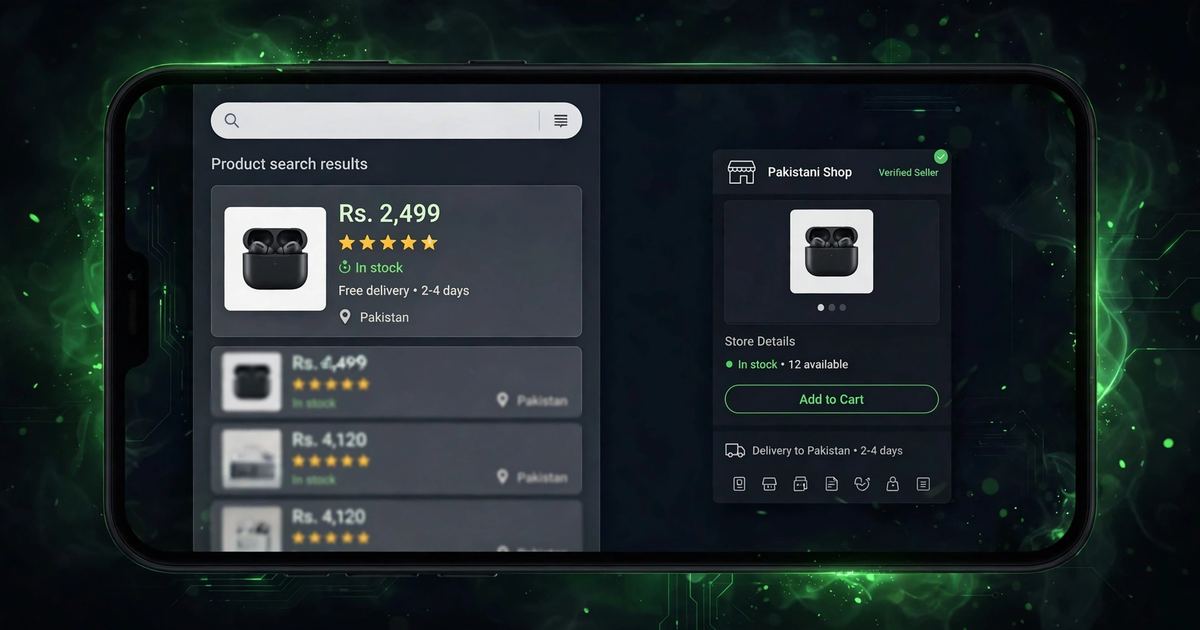
Rich results do not directly raise your ranking — Google has confirmed that. But they win far more clicks than plain listings, because buyers trust a product that shows its price and stars upfront. More clicks means more sales from the rankings you already have. That is the real payoff of WooCommerce product schema.
Why WooCommerce Product Schema Matters for Pakistani Stores
Pakistani buyers are careful shoppers. Many have been burned by fake stores, so they look for trust signals before clicking. A search result with stars, a clear price, and "In stock" feels real. A plain blue link feels risky. WooCommerce product schema gives your store that trust at the exact moment the buyer is choosing what to click.
There is a second reason: competition. Most Pakistani WooCommerce stores have no schema at all. Their listings are plain blue links. Adding schema makes your products stand out in a results page full of boring links — a free advantage your competitors are ignoring.
And it costs nothing. No ad spend, no developer (in most cases), no ongoing fees. You set it up once, and every product page carries it forever.
Add WooCommerce Product Schema With a Plugin (Easiest)
For almost every store, a plugin is the right answer. Good SEO plugins add WooCommerce product schema automatically to every product — you switch it on once and forget it.
Popular free SEO plugins include a schema module. Install one, open its settings, and find the "Schema" or "Structured data" section.
Tell the plugin that your products are of type "Product" — this is the standard label Google expects. The plugin then knows which fields (price, stock, rating) to include. This is the core of a proper product schema setup.
The plugin pulls the price and stock status straight from WooCommerce automatically. Check that each product has a real price set (not zero) and a stock status — empty fields create the errors we fix in section 7.
Open any product page, view the page source, and search for "Product". You should see the JSON-LD script with your product's details. If it is there, every product page now carries schema.
Add Schema Manually With JSON-LD
Most store owners should stop at the plugin method. But if you want full control — or your theme conflicts with plugins — you can add WooCommerce product schema by hand.
JSON-LD is a script block that sits in the page's head section. A minimal product script names the product, its price, its currency (PKR), and whether it is in stock. WooCommerce themes often let you add custom code per product template, or you can use a small code-snippets plugin.
The official reference lists every field Google accepts — see the Product schema documentation for the full vocabulary. Only add fields you can fill truthfully: a fake "5-star" rating in the code with no real reviews is spam, and Google penalises it.
Test Your WooCommerce Product Schema
Adding schema is only half the job — you must confirm Google reads it correctly. Google gives you a free tool for exactly this.
Paste any product page URL into Google's Rich Results Test tool. It fetches your page and reports what structured data it finds.
The tool should list "Product" as a detected item, with your price, availability, and rating shown as valid fields. Green ticks mean WooCommerce product schema is working on that page.
Test a simple product, a variable product (sizes or colours), an out-of-stock product, and a sale product. Each type can break differently — the errors section below covers the usual suspects.
Also check Google Search Console after a week or two. Its "Product snippets" report shows how many of your pages Google has accepted for rich results — and flags pages with problems.
Fix Common WooCommerce Product Schema Errors
Almost every store hits at least one of these. All of them are fixable in minutes once you know what they mean.
| Error | What it means | The fix |
|---|---|---|
| Missing field "price" | The product has no price set, or the price is zero | Set a real price on every product — even "call for price" items need a number or the schema stays broken |
| Missing field "availability" | WooCommerce does not know the stock status | Enable stock management or set each product to "In stock" / "Out of stock" |
| Missing field "review" | No reviews exist yet, so no rating can be shown | Not a real error — stars appear once genuine reviews arrive (see next section) |
| Duplicate Product markup | Two plugins or theme + plugin both add schema | Keep one source: disable schema in your theme or the second plugin |
| Invalid price format | Price contains text like "Rs" inside the number field | Keep the number clean (1850) and let the currency field say PKR |
After fixing errors, re-test the page and ask Google to re-crawl it in Search Console. Rich results usually appear within days to a couple of weeks once the errors are gone — another reason solid WooCommerce product schema pays off quickly.
Get the Star Ratings Showing
The stars are the most eye-catching part of a rich result — and the part store owners ask about most. Here is the honest truth about them.
There is no shortcut: no reviews, no stars. But once the first few genuine reviews land, WooCommerce product schema picks them up automatically and the stars start showing in search. For the full review playbook, read our WooCommerce product page SEO in Pakistan guide.
Frequently Asked Questions
Does WooCommerce product schema improve my Google ranking?
Not directly — Google says schema is not a ranking factor. But rich results earn far more clicks, and more clicks bring more buyers. WooCommerce product schema wins you traffic from the rankings you already have.
How long until rich results appear in Google?
Usually days to a few weeks after Google re-crawls the fixed pages. Test with the Rich Results Test tool first, then request re-crawling in Search Console to speed things up.
Can I add product schema without a plugin?
Yes — with manual JSON-LD code (see section 5). It gives full control but breaks silently on theme changes. For most Pakistani stores, one good SEO plugin is the safer, easier route.
Why do my competitors show stars but I don't?
Either they have genuine reviews and you don't yet, or their WooCommerce product schema is set up and yours has errors. Run the Rich Results Test on both your page and theirs — the difference will be obvious.
Want Products That Stand Out in Google?
Star ratings, prices, and stock status right in the search results — WooCommerce product schema done right turns every product into a click magnet. We build WooCommerce stores with schema, reviews, and SEO handled from day one. Talk to us today.
Optimise My StoreSchema is one piece of product-page SEO. For titles, descriptions, and images, read our WooCommerce product page SEO in Pakistan guide — and for a faster store overall, see page speed optimisation in Karachi.