
Many Karachi sellers run their whole business on Instagram. They post photos, answer DMs and take orders in comments. An Instagram Shop Pakistan setup takes this one step further. It adds product tags, prices and a shop tab to your profile. Shoppers can tap a product and buy it without guessing the price. This guide shows you how to set it up in 2026, step by step.
What Is an Instagram Shop?
An Instagram Shop is a digital storefront inside your Instagram profile. It connects your product catalog to your account. A catalog is simply a list of your products with photos, names, prices and links. When someone visits your profile, they see a shop tab with your products.
You can also tag products in your posts, Stories and Reels. Tagging means you place a small shopping-bag icon on a product in your photo. When a shopper taps it, they see the product name, price and a link to buy. Up to 5 products can be tagged in one photo post, and up to 20 in a carousel post.
Commerce Manager is Meta's free tool where you create and manage your product catalog. It also runs your shop settings and your product review. You do most of the setup work there, not in the Instagram app.
Website checkout is how buying works here. As of late 2025, Meta moved Shops to website checkout. When a shopper taps "buy", they go to your website to complete the order. You do not need in-app payments. Your website just needs a working order page, like cash on delivery.
Why Set Up Instagram Shop Pakistan in 2026
Pakistani shoppers already discover products on Instagram. Fashion brands, shoe sellers and home businesses in Karachi get many orders through Instagram DMs. The problem is friction. A buyer sees a kurti, asks the price, waits for your reply, then forgets to order. Product tags remove this friction.
With an Instagram Shop Pakistan store, the price is visible on every product. The shop tab works like a mini website on your profile. And you stop losing sales to slow DMs.
It also builds trust. Scam pages are common in Pakistan. A proper shop with clear prices, a real website link and a Facebook page behind it looks far more trustworthy than a page that only takes orders in DMs.
What You Need Before You Start
Meta reviews every shop before it goes live. To pass the review, your business must meet these requirements:
You do not need a minimum number of followers. You can start the setup with zero followers. An Instagram Shop Pakistan review mainly checks that your business looks real: a real website, real products and a real contact number. For the official walkthrough, see Meta's own setup lesson
Setup: 8 Simple Steps
Here is the full Instagram Shop Pakistan setup flow in order:
Go to your profile, tap Edit Profile, then choose "Switch to professional account" and select Business. Fill in your category and contact details. This unlocks the shopping settings.
Go to Edit Profile and, under Public Business Information, select Page. Choose your existing Facebook Page or create one. Your shop cannot exist without this link.
Open Commerce Manager from Meta Business Suite. Create a catalog and add your products with photos, names, prices and website links. You can add products manually or sync them from your online store.
In Commerce Manager, link your Instagram business account to the catalog. This tells Meta which products belong to your shop.
Read and accept Meta's Merchant Agreement and Commerce Policies. Make sure your products and website follow these rules before you agree.
Choose "checkout on another website" and point it to your store's order pages. Most Pakistani sellers use cash-on-delivery order forms. Make sure the links work on mobile.
In the Instagram app, go to Settings, tap Business, then Shopping, and select your catalog. Meta checks your business details, products and website. This can take a few days, sometimes a few weeks.
Once approved, you get the shop tab on your profile. Tag products in every new post, Story and Reel, and go back and tag your best old posts too.
How to Build Your Product Catalog
Your catalog is the heart of your Instagram Shop Pakistan store. Bad product data means rejected products or confused shoppers. You have two ways to build it:
| Method | How it works | Best for |
|---|---|---|
| Manual upload | Add each product by hand in Commerce Manager: photo, name, price, description and website link. | Small stores with under 50 products. |
| Website sync | Connect your online store so products sync automatically. Stock and price changes update by themselves. | Growing stores that change prices or stock often. |
Follow these catalog rules for every product:
- Use clear photos with a plain background. Blurry photos get flagged.
- Write the real price in PKR. Do not write "DM for price" in the catalog.
- Keep names short and clear, like "Men's Black Leather Wallet".
- Link each product to its own page on your website, not your homepage.
- Keep stock updated. Selling out-of-stock items risks policy strikes.
A clean catalog also helps your other marketing. The same product data can power your Google and Meta ads later, so getting it right now saves work later.
How to Tag Products in Posts, Stories and Reels
Tagging is where your Instagram Shop Pakistan setup starts paying for itself. A tagged post turns every photo into a product page.
In a photo or carousel post: create your post as normal. Before publishing, tap "Tag products". Tap each product in the photo and choose it from your catalog.
In Stories: use the product sticker. Open stickers and choose the product sticker, then select the product from your catalog. You can only add one product sticker per Story.
In Reels: tag products the same way as posts before you publish. Reels with tagged products can appear in Explore, which brings new shoppers to your shop for free.
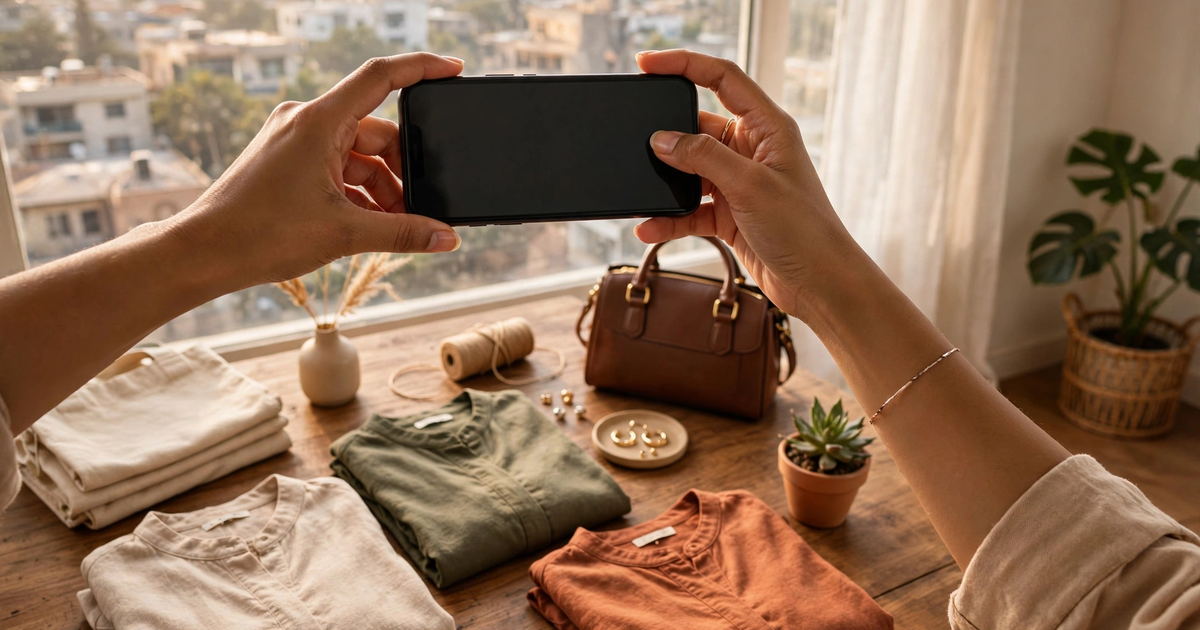
Tag every product that appears in your content. Do not tag products that are not visible in the photo. Random tags break trust and can trigger policy reviews.
How to Make Posts That Sell
An Instagram Shop Pakistan store without good content is an empty shop. These habits turn tagged posts into orders:
Show the product in real life
Lifestyle photos beat plain product shots. Show the kurti on a person, the wallet in a hand, the lamp in a real Karachi bedroom. Buyers need to imagine owning it.
Use video and Reels
Short videos get more reach than photos. Film unboxings, try-ons and before-after clips. Tag the product in every Reel so viewers can buy while they watch.
Keep the price visible
Never hide the price to force DMs. The whole point of the shop is instant answers. Visible prices get more clicks and more sales in Pakistan.
Post consistently
Post at least 4 to 5 times a week. An active shop ranks better in Explore and looks alive to new visitors. Batch your photos on one day.
Answer comments fast
Product tags do not replace customer service. Reply to price and size questions within an hour during the day. Fast replies win the sale.
Boost your winners
When a tagged post performs well organically, promote it with a small ad budget. You already know the content works, so the ad spend is safer.
If you do not have an online store yet, start there first. A working website is required for the shop, and a professionally built WordPress store with clear product pages makes both Instagram checkout and Google searches work harder for you.
Common Instagram Shop Pakistan Mistakes
Skipping the website
Some sellers try to set up the shop with only an Instagram page. Meta requires a real website domain. Build a simple store first, then apply.
Price mismatch
Your catalog price and your website price must match exactly. A tag that shows one price but opens a page with another gets flagged and loses trust.
Blurry catalog photos
One bad photo can block a whole catalog. Use bright, sharp photos for every product before you submit.
Tagging invisible products
Tagging products that are not in the photo confuses shoppers and risks a policy strike. Tag only what is visible.
Giving up after rejection
Many shops get rejected on the first try. Fix the stated reason, improve your website and photos, and re-submit. Approval often comes on the second attempt.
Ignoring the review clock
The review can take days or weeks. Keep posting normally during the wait. An active, real-looking profile helps your case.
FAQs
Is an Instagram Shop free in Pakistan?
Yes. An Instagram Shop Pakistan setup is completely free — product tags and the shop tab cost nothing. You only pay if you run ads on your shopping posts. You still need your own website, which has its own cost.
How long does Instagram Shop approval take in Pakistan?
Usually a few days, sometimes up to a few weeks. An Instagram Shop Pakistan review checks your business details, website and catalog. Keep your profile active during the wait and respond to any requests from Meta quickly.
Can I use Instagram Shop without a website?
No. Meta requires a website domain where customers can buy your products. Since Shops now use website checkout, shoppers complete their purchase on your site. A simple online store with cash-on-delivery ordering works fine.
How many products can I tag in one post?
You can tag up to 5 products in a single photo or video post, and up to 20 products in a carousel post. In Stories, you can add one product sticker per Story.
Why was my Instagram Shop rejected?
Common reasons: no real website, selling banned items, price mismatches between catalog and website, or blurry product photos. Check the reason Meta gives, fix it, and submit again.
Want help setting up your Instagram Shop?
Techly Agent builds online stores and sets up Instagram Shop Pakistan stores for Karachi businesses. We handle the catalog, the website checkout and the product tagging, so your shop goes live without the guesswork.
Contact Techly Agent